 Left click on TXTOUT to select it and right click to choose "Open
a Monitor". Left click on TXTOUT to select it and right click to choose "Open
a Monitor".

The negative values have been inverted to positive values.
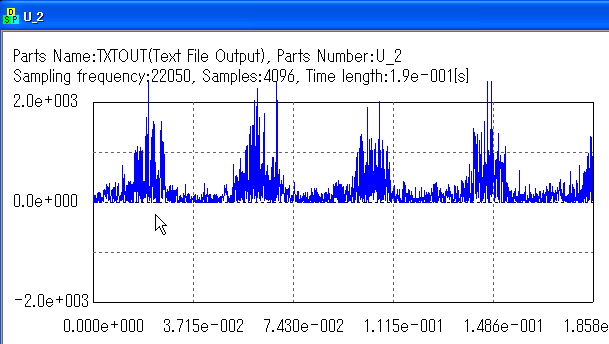
Now, the WINLPF should work. Let's insert it between FUNCABS and TXTOUT.

After you save the schematic, please choose "Open a Monitor" for TXTOUT.

You may see how the sensor was working by getting the envelope!! (You can
save the result by "Tools" -> "Save Text" on the menu)

Please note that data from a sensor easily have some offset due to difference
of bias between A/D converter and preceding analog circuit. (The difference
has been canceled inside FUNCABS)

That's it for this tutorial. This is a typical way to analyze sensor signals.
The envelope may go to comparator, counter or some other circuits for further
analysis.
|